
The hidden cost of cloud-first video analytics
TL; DR. Cloud-first video analytics sends raw camera footage to a central server for processing. The design looks cheap in a pilot, then costs climb as cameras multiply: more bandwidth, added delay, privacy exposure, and downtime when links fail. Sighthound ALPR+, an Automatic License Plate Recognition (ALPR) engine, processes video on site at the edge and sends results instead of streams, which holds those four costs down.
This article is for informational purposes and is not legal advice. Consult your organization's counsel for guidance specific to your jurisdiction and workflow.
Key takeaways
Cloud-first video analytics moves every camera's raw video to a central server, so bandwidth use rises with each device you add.
A cloud round-trip adds delay to each decision, which carries the most weight at gates and during live response.
Video that contains a license plate or a face can count as Personally Identifiable Information (PII) under GDPR and CCPA when it's processed off site.
An edge deployment keeps working during an internet outage and syncs to a central system once the connection returns.
Sighthound ALPR+ reads plates and adds Make, Model, Color, and Generation (MMCG) context while running on the Compute Node and Compute Camera at the edge.
A hybrid design keeps existing cameras and the management layer in place while moving heavy inference to local hardware.
What is cloud-first video analytics?
Cloud-first video analytics is an architecture where cameras capture video and a central cloud service runs the detection and analysis. According to NIST research on edge systems, the camera stays simple. The intelligence lives somewhere else.
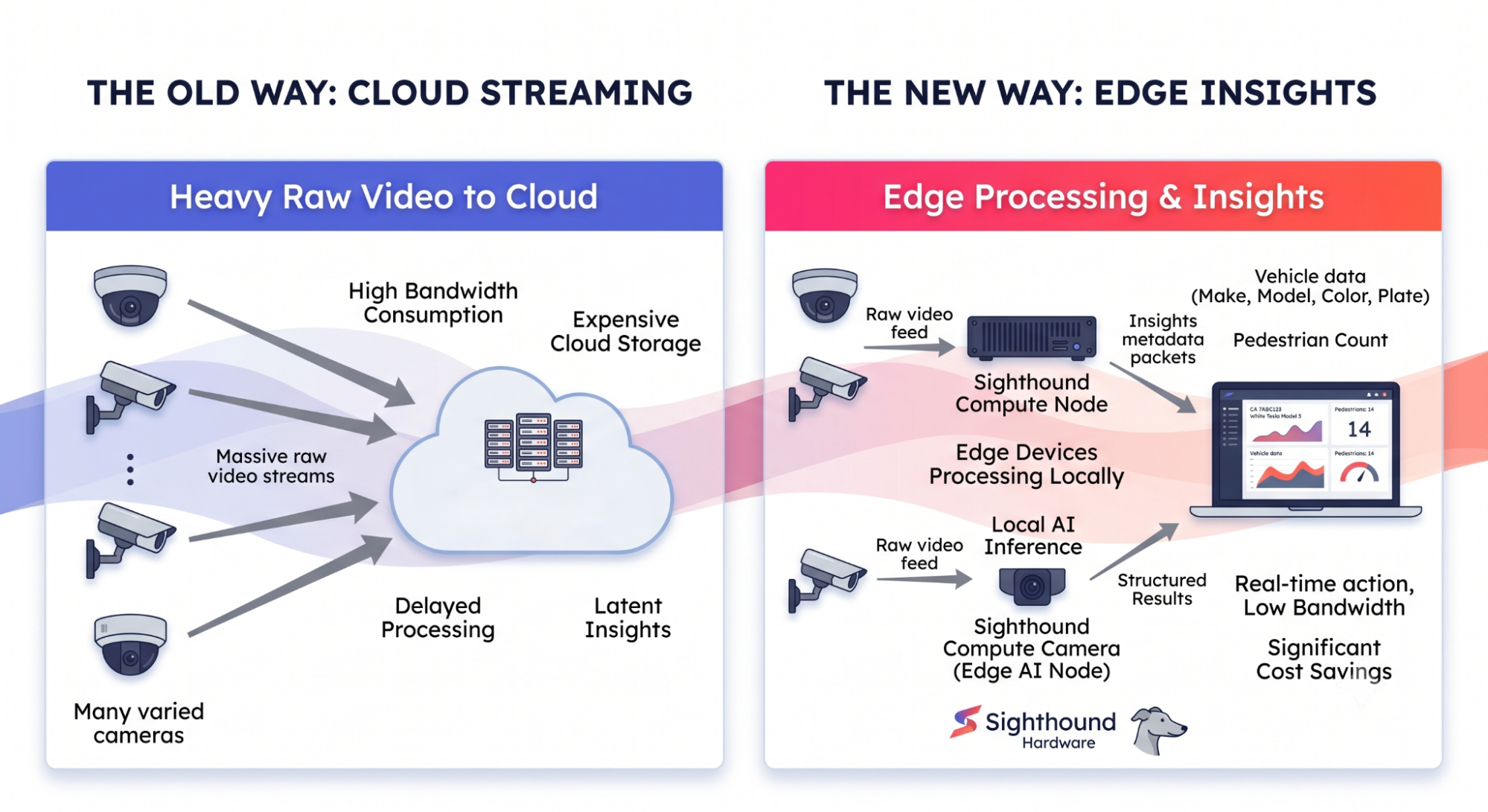
Diagram comparing cloud-first raw video streaming against edge processing that sends only structured results.
That setup is easy to stand up for a handful of cameras. The trouble is that the cost model doesn't stay flat. It bends upward as you add devices, and the steepest parts of the curve stay out of view until you're already committed.
Four costs drive that curve:
Bandwidth
Delay
Privacy exposure
Resilience when the link drops
The rest of this article takes them one at a time.
How much bandwidth does cloud-first analytics consume at scale?
Streaming high-resolution video to a central location uses a lot of network capacity, and it grows with every camera you connect. A few cameras barely register. A few hundred saturate the uplink.
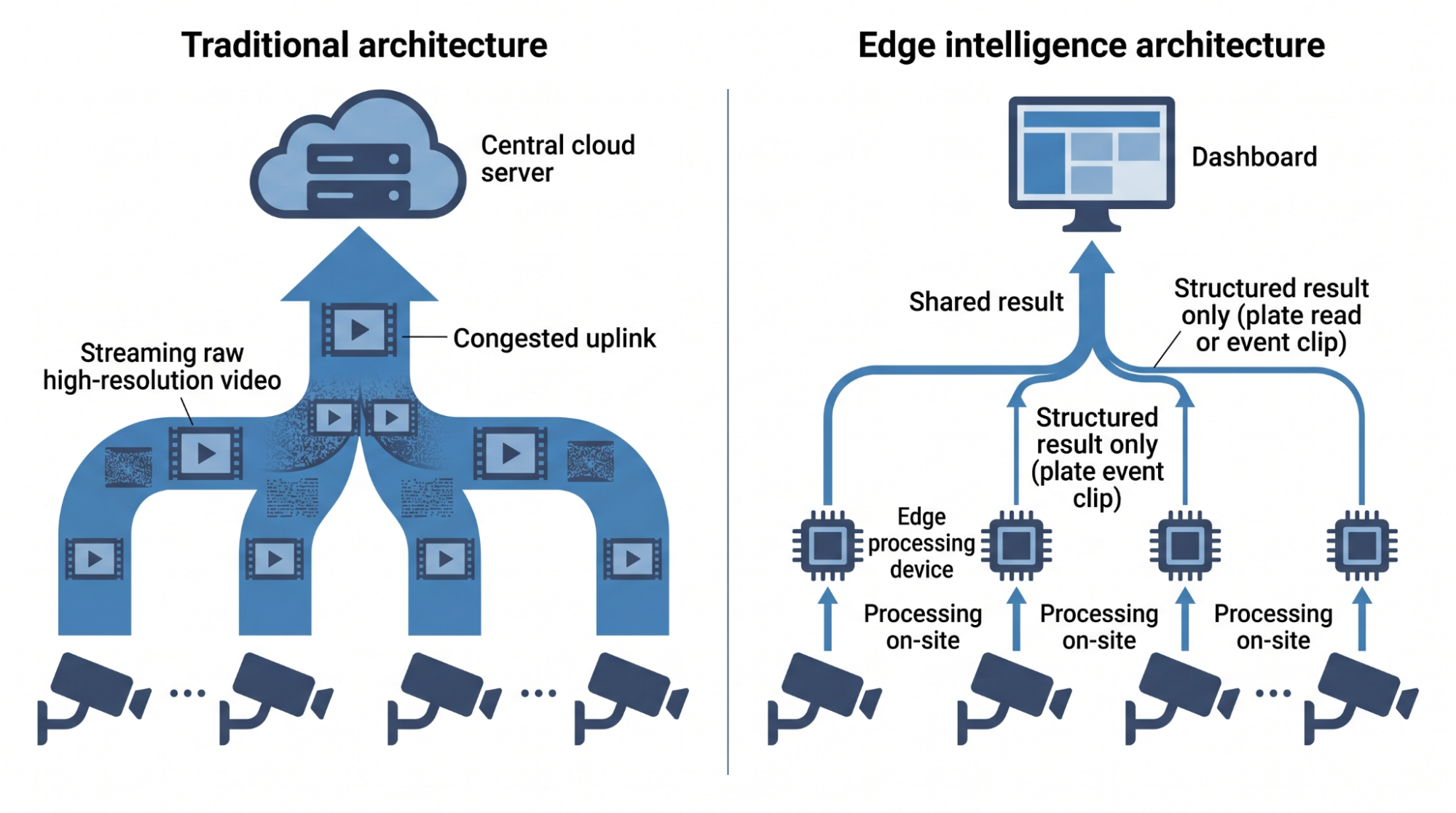
Diagram showing many cameras streaming raw video to the cloud versus edge devices sending small results.
Edge processing flips the flow. The device analyzes video on site and sends only the result, a plate read or an event clip, rather than a continuous stream. A structured record is tiny next to raw 4K video.
So the bandwidth bill tracks how much you move. Moving results instead of footage moves far less.
What does cloud delay cost at the moment of decision?
Every cloud round-trip adds latency. The camera sends a frame up, the server processes it, and the answer comes back. For a recorded review, that delay is invisible. For a live decision, it isn't.
Picture a vehicle at a gate. A delay of even a second per car turns into a queue, and a queue turns into a support call. Processing plate on site removes the round trip, so the gate decision happens where the gate is.
Where does cloud-first analytics create privacy exposure?
What the law treats as personal data
A video that shows a license plate or a face can count as Personally Identifiable Information (PII). Under the EU General Data Protection Regulation (GDPR), personal data is any information relating to an identifiable person, and a plate tied to a registered owner can qualify. California's privacy law points the same way under the California Consumer Privacy Act (CCPA).
Why the processing location matters
When that video is processed off-site, it crosses a boundary and lands in infrastructure you may not fully control. For agencies handling public records under the Freedom of Information Act (FOIA), or teams working under CCPA, that boundary crossing is the part that creates exposure.
Processing on-premises or in an air-gapped environment keeps the data inside your own walls. The footage never leaves, so there's less to account for when an auditor asks where it went.
What happens when the network link drops?
A cloud-only system depends on the link. If the connection goes down, recognition stops, gates stall, and alerts queue with nowhere to go.
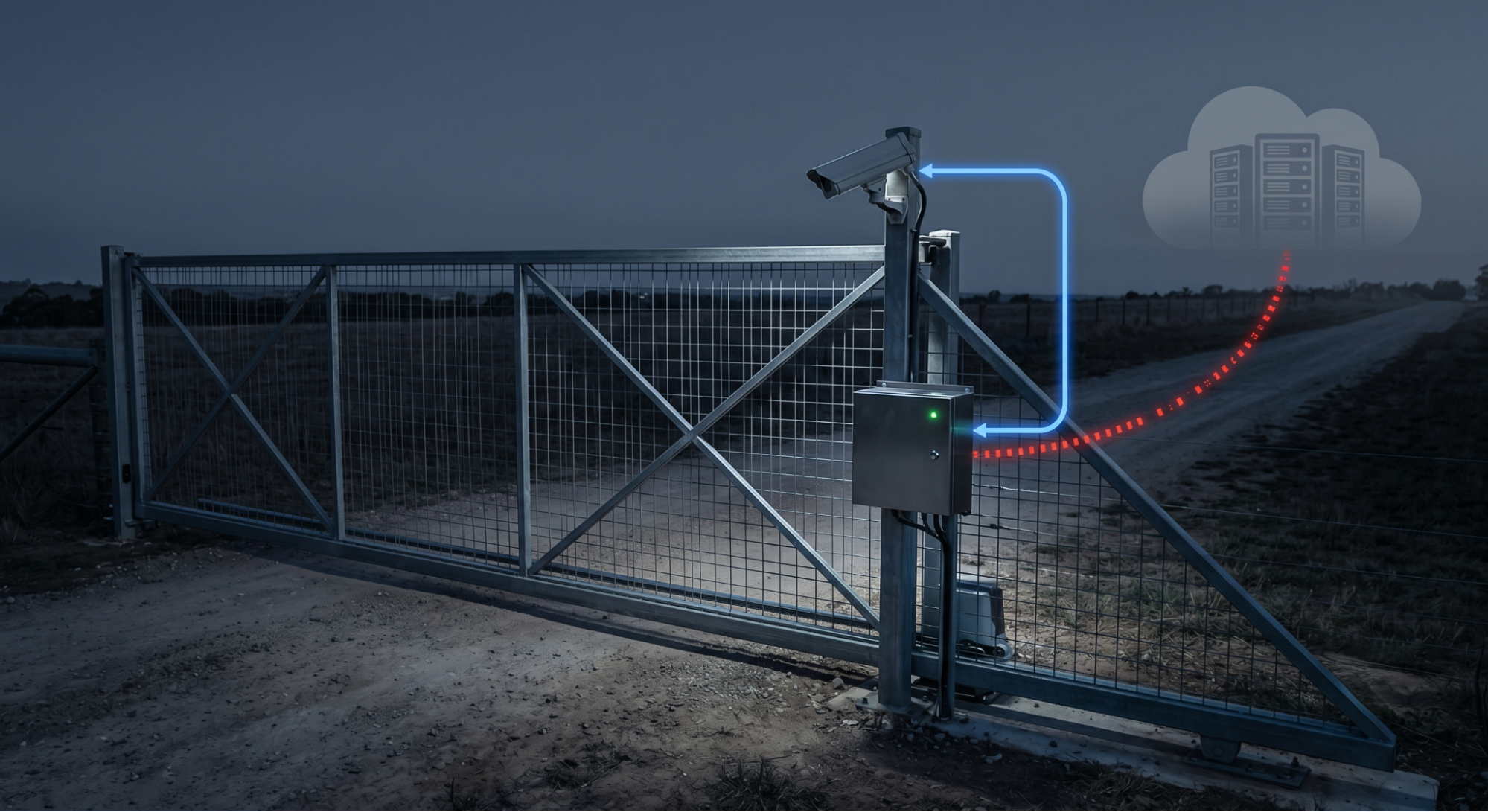
Edge compute device keeps reading plates locally during an internet outage while cloud link drops.
Edge recognition keeps running through the outage. Each device stores its own lists and logs locally, makes decisions on-site, and syncs back to a central dashboard once the connection is restored. For field units and remote sites that can't afford downtime, that difference is the whole argument.
How does running analytics at the edge change the cost equation?
Move the processing to the camera or a nearby compute device, transmit the results, and keep the cameras and management layer you already run. The four costs above shrink together because each one traces back to shipping raw video to a distant server.
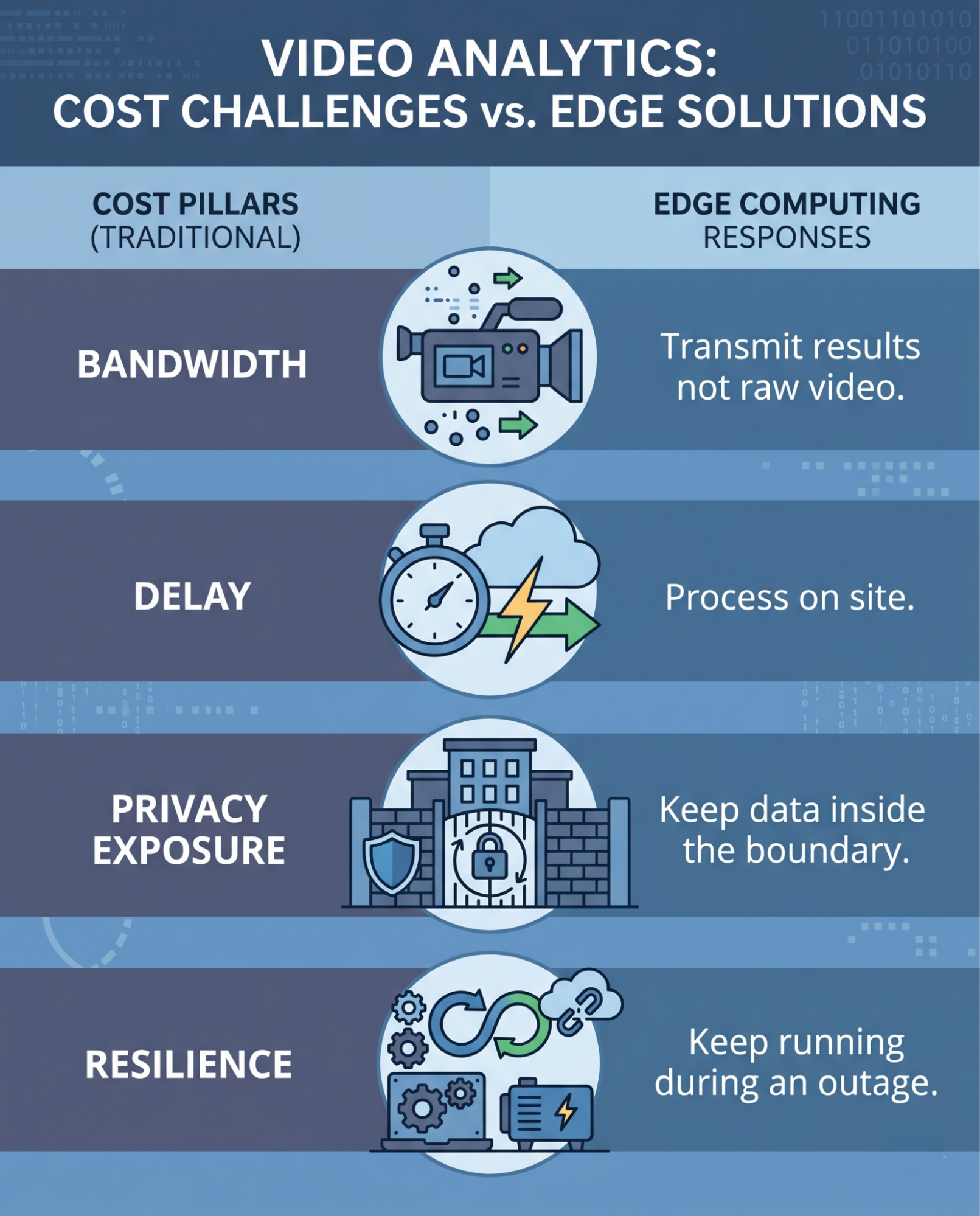
Infographic pairing four cloud-first cost pillars with the edge response to each.
Sighthound ALPR+ on the Compute Node
Sighthound ALPR+ reads license plates and adds Make, Model, Color, and Generation (MMCG) context, so a record carries more than a string of characters. It runs on the Sighthound Compute Node and/or Compute Camera at the edge, with no cloud dependency for core processing. The device reads the plate, builds the structured record, and sends it on, which keeps bandwidth, delay, and exposure in check.
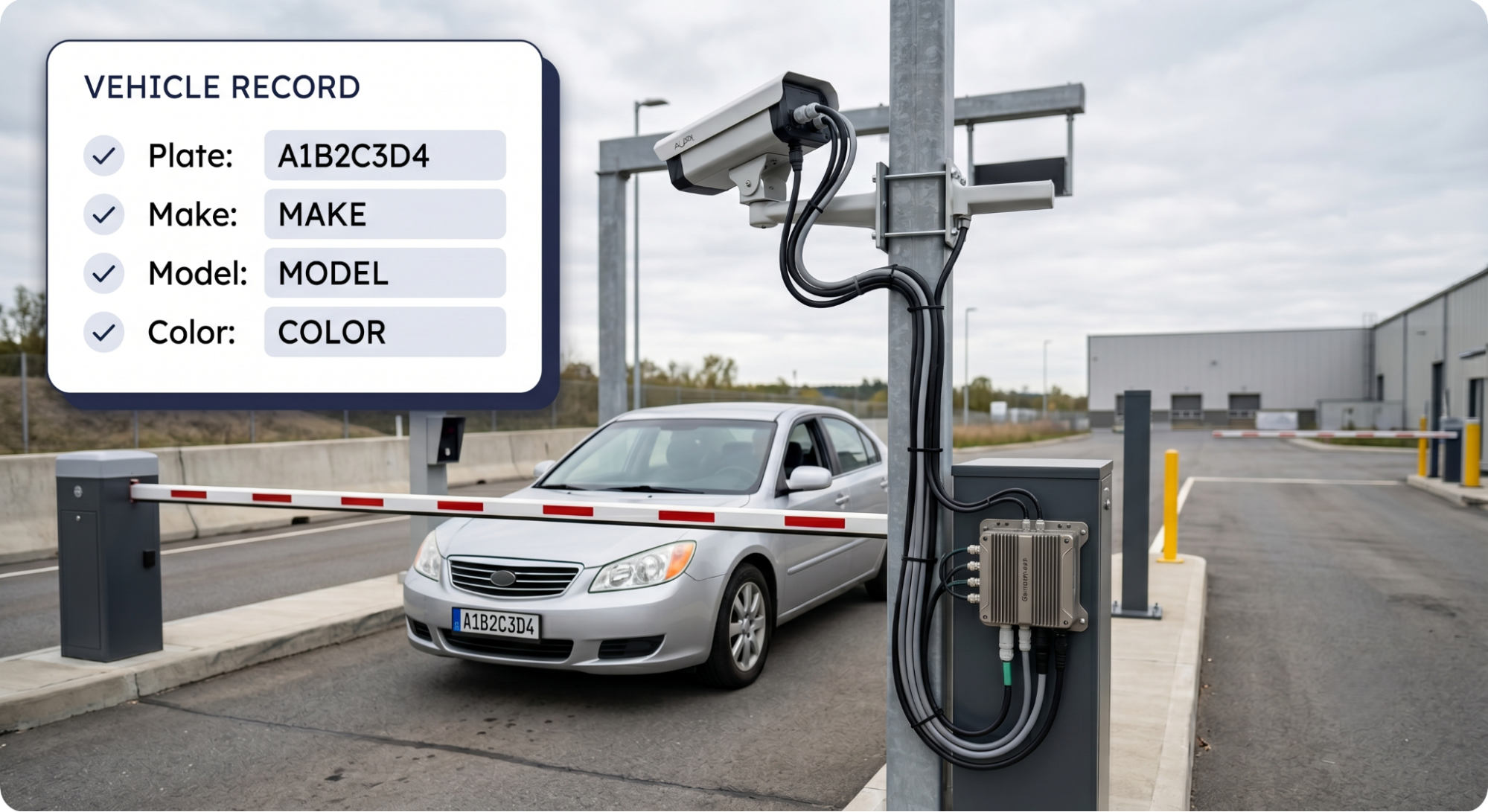
Vehicle at an access gate as an edge compute node reads its license plate.
When a hybrid design makes sense
You don't have to pick one extreme. A hybrid pattern runs inference at the edge and uses the cloud for storage, dashboards, or cross-site search. Edge or hybrid tends to fit when:
Data can't leave the boundary for compliance reasons
Decisions are time-sensitive, as at gates or in live response
Connectivity is metered or unreliable
Camera counts are high enough that the central load becomes the bottleneck
Request Compute Node with ALPR+ access to test plate and MMCG recognition on your own camera feeds.
For business opportunities, explore our Partner Program today.
FAQ
-
ALPR+ runs at the edge via Compute Node and/or Compute Camera and processes video on site without a cloud connection for core recognition. That supports offline and air-gapped deployments.
-
MMCG stands for Make, Model, Color, and Generation. It adds vehicle context to a plate read, which helps when a plate is partial, obscured, or shared across similar vehicles.
-
It can reduce exposure by keeping the video inside your boundary instead of sending it to a third-party service. Compliance still depends on your retention, access, and audit practices, so treat edge processing as one control among several. This is not legal advice.