
Sighthound Video
Sighthound Video is now open source
Sighthound Video is Sighthound's legacy desktop video camera DVR/VMS software. It is no longer under active feature development or regular software updates, and support is limited to best-effort help for critical issues.
The source code is available on GitHub for the community to use, study, and build on. The latest packaged legacy release remains available for users who need the desktop application.
Licenses and Pro access
Existing purchased licenses do not expire. License and Pro upgrade handling is now manual: current customers who need an up-to-date license or Pro access should contact support so we can update the account manually.
New users should create a Sighthound account first, then contact support so a legacy license can be created manually. There is no self-service checkout or automatic upgrade flow for legacy Sighthound Video licenses.
Some previous-version downloads may depend on the license associated with your account. If the version you need is unavailable, sign in to your account and contact support.
Current license holders you can ignore the “renew” button as Sighthound Video is downloaded locally onto your computer and there is no way to remove it. The original Sighthound Video license that you purchased from us will never expire. You can read more about the legacy "Support and Upgrade Subscription Renewal" here.
If you need help or have any questions you can always look through our legacy articles.
If you have any concerns you may contact us with any questions.
You can find our open source version of Sighthound Video here.
Smart Video Camera DVR Software for PC and Mac - With Over 10,00,000 Downloads.
Enable almost any standards-based security camera to see people, vehicles, animals, and other objects just like the human brain. Record 24/7 video from all your cameras. Create rules to get smart alerts. Easily search through days or years of video. Fully open source.
Already have an account? Login here
Forget Motion Detection.
Get Smart People, Vehicle and Animal Detection.
Sighthound Video was built to detect people, vehicles, animals, and other objects more intelligently than basic motion detection. Use rules to focus on the events you care about, reduce noise, and review recorded video faster.
Empowering your surveillance cameras
-
![Alerts]()
Alerts
Create rules that can trigger email alerts or local scripts when selected events occur.
-
![Smarter by Design]()
Smarter by Design
Computer vision helps identify what is happening in the scene so you can reduce noise from basic motion detection.
-
![Easy Set Up]()
Easy Set Up
Software that finds your cameras automatically. Get up and running in under two minutes.
-
![HD to 4K Video]()
HD to 4K Video
Record at resolutions your camera and hardware support.
-
![IFTTT]()
IFTTT
IFTTT/Applet support is a legacy integration. Verify it in your own setup before relying on it for alerts or automation.
-
![ONVIF]()
ONVIF
ONVIF support helps with detection and configuration of compatible cameras.
-
![Remote Viewing]()
Remote Viewing
iPhone and Android apps to monitor a live view of your home, show you clips of events, and provide you with alerts.
-
![Video Search]()
Video Search
Search recorded footage to find the moments that matter after video has been captured and analyzed locally.
-
![No Cloud Fees]()
No Cloud Fees
Sighthound Video records locally and does not require a Sighthound cloud-storage subscription. Optional third-party uploads depend on your own configuration and provider availability.
-
![Rule Editor]()
Rule Editor
Customize video sources, analyzed objects, zones, schedules, and alert behavior from the legacy rule editor.
-
![Multi-Cam Support]()
Multi-Cam Support
Connect many IP cameras and webcams through standards-based inputs. Compatibility can vary by camera brand, model, firmware, and local hardware capacity.
-
![Custom Zones]()
Custom Zones
Draw zones, thresholds, and masks to focus detection on doorways, driveways, rooms, or other areas that matter.
-
![Custom Schedules]()
Custom Schedules
Use schedules to control when cameras record, analyze, and alert based on your local setup.








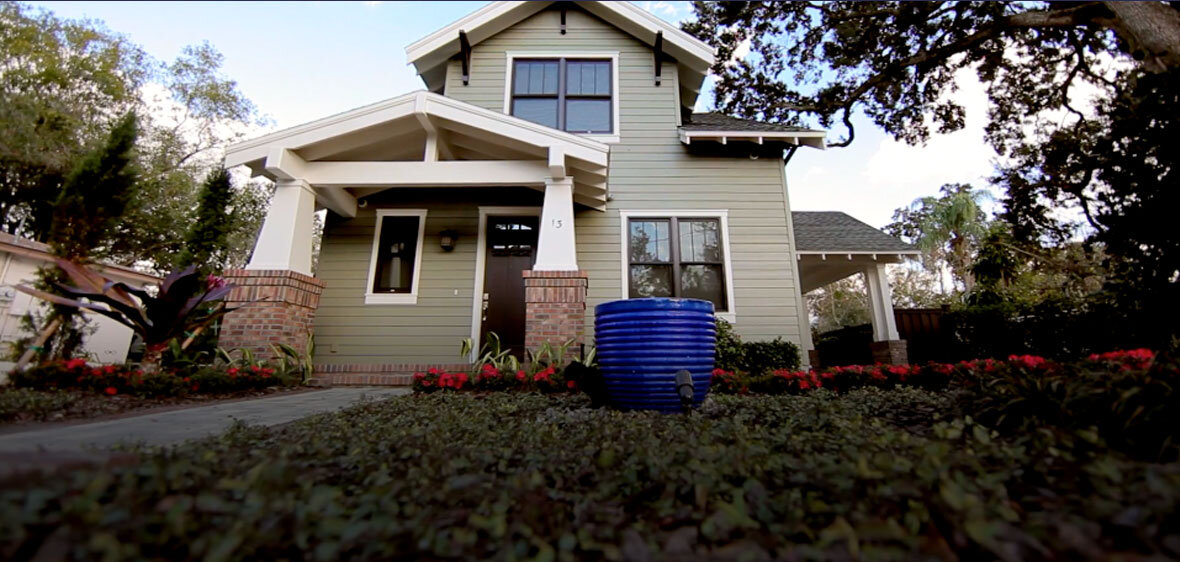
Your home security.
Use the power of Sighthound Video to make the video surveillance system in your home smarter. It’s affordable home security monitoring software that works with most cameras and outperforms the alternatives. With HD live streaming support, custom zones, and remote access, you can finally have peace of mind while you're away.
Use our legacy Sighthound Video
Existing purchased licenses do not expire. License and Pro upgrade handling is now manual: current customers who need an up-to-date license or Pro access should contact support so we can update the account manually.
New users should create a Sighthound account first, then contact support so a legacy license can be created manually. There is no self-service checkout or automatic upgrade flow for legacy Sighthound Video licenses.
Current license holders you can ignore the “renew” button as Sighthound Video is downloaded locally onto your computer and there is no way to remove it. The original Sighthound Video license that you purchased from us will never expire. You can read more about the legacy "Support and Upgrade Subscription Renewal" here.
- Download Sighthound Video
Free
forever, no strings attachedSighthound AI Detection Models
HD video support
Export to cloud
Remote access
Run external commands
Community technical support
Single computer license
- Download
Product Updates
Sighthound Video 7.0.16 - January 5, 2022
*Sighthound Video 7.0.16 requires MacOS 10.15 Catalina or later / Windows 10 or later
Known Issue with MacOS (Windows is uneffected)
We are aware of a crash when playing back video clips with audio enabled in Sighthound Video on MacOS.
If you are using MacOS and need to hear the audio in your video clips, you should NOT install this release.
If you are using MacOS and do not need to hear audio, you will need to mute the audio within Sighthound Video before upgrading to this version and keep it muted until the next release is available. To do this, open the Search Tab in Sighthound video and click the Speaker icon at the bottom right corner to mute audio playback.
Updates
Changed – Performance improvement in DiskCleaner.
Fixed – Sometimes sending an email alert with no image
Fixed – Faster Notification Alerts
Fixed – Some bug fixes and improvements
Sighthound Video 7.0.12 - June 18, 2021
Changed – Minor performance improvement in DiskCleaner.
Fixed – Disabled VideoToolbox acceleration on MacOS due to a crash in core Apple libraries.
Fixed – Video playback windows sometimes remaining visible when switching from one view to another (Windows only).
Fixed – Push notifications being delayed up to 60 seconds.
Fixed – Some USB webcams causing a crash on MacOS.
Fixed – “Check for Updates” button not working.
Fixed – 16x clip playback failing for some cameras when an audio stream is present
Sighthound Video 7.0.10 - March 18, 2021
Fixed - A failure to start on Windows with localized UIs (Russian specifically)
Fixed - A failure to stream clips with altered quality remotely on systems with available hardware acceleration
Fixed - Incorrect aspect ratio for recording on free version