How Edge AI Devices Are Reshaping Real-Time Video Intelligence
Learn how edge AI devices reduce latency, support privacy-aware processing, and help teams use Sighthound Compute for real-time visual AI
Video teams need faster decisions without moving every frame into a distant workflow. Edge artificial intelligence (AI) devices shift more analysis closer to cameras, operators, and field systems. The payoff is a cleaner path from video input to action.
TL;DR
- Start with the job. Define what the device must detect, where alerts go, and who reviews results.
- Plan for mixed systems. Edge hardware and cloud workflows often serve different parts of the same video operation.
- Treat governance as design work. Retention, access, privacy, and security rules still matter.
- Match hardware to camera count. Sighthound Compute includes smart cameras and compute nodes for local video intelligence.
Key Takeaways
- Edge AI devices work best when the use case is narrow, measurable, and tied to an operator action.
- Local video processing can support real-time workflows, but governance still needs written owners and review steps.
- Existing cameras may stay useful when a compute node can process their streams.
- Product fit depends on camera count, physical conditions, analytics needs, and review obligations.
What are edge AI devices?
In this guide, edge AI devices means cameras, appliances, or small computers that run AI analysis close to where video is captured. The device may sit on a pole, in a cabinet, in a vehicle, or near a network video recorder. The key planning question is simple: what must happen locally, and what can wait?
That question matters because video operations often have different time horizons. A gate alert, traffic incident, or site intrusion may require action now. Long-term reporting, audit review, and model evaluation can follow a slower path. Readers often ask for a plain definition before comparing products, networks, or storage plans.
Sighthound, Inc. is a computer-vision platform company. Sighthound Compute is a line of edge AI hardware — smart cameras and compute nodes — that runs Sighthound's automatic license plate recognition (ALPR+), Vehicle Analytics, and Redactor stack locally.
Key point: Sighthound Compute ships Sighthound Camera and Sighthound Compute Node.
A practical definition should also include responsibility. Decide who owns device placement, network access, alert routing, review policy, and maintenance. That keeps the device from becoming an isolated box with unclear purpose.
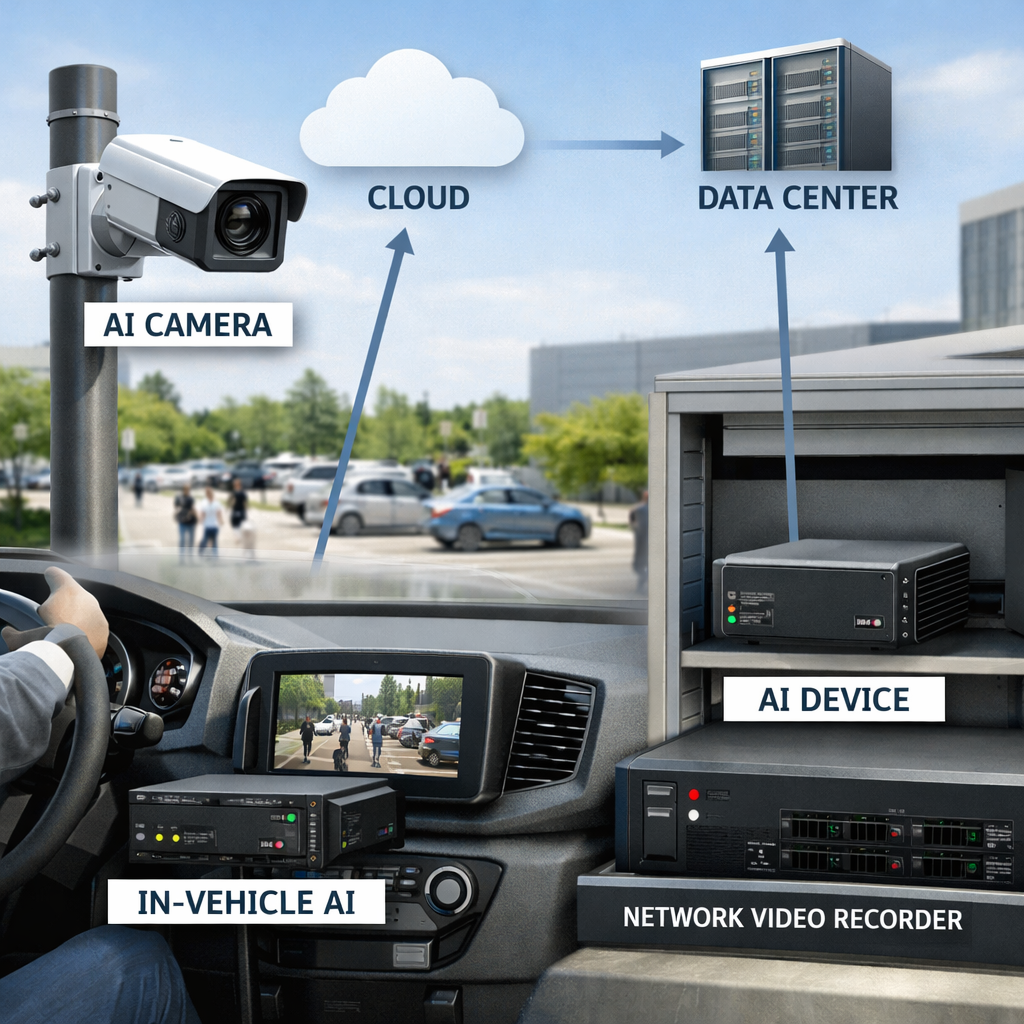
Visual example for what are edge ai devices using edge AI devices
Why does local processing matter for real-time video intelligence?
Real-time video intelligence is useful only when an alert reaches the right person in time to matter. That makes the deployment more than a hardware purchase. It is a chain of camera placement, inference, event routing, review, retention, and response.
Local processing is often considered when teams want fewer round trips before an event becomes usable. It may also help when bandwidth is limited, coverage is remote, or operators want field systems to keep working during network interruptions. The design goal is not to remove every cloud workflow. The goal is to place each step where it fits the job.
Operators should start with a short release purpose: identify the event, the intended action, and the minimum video or metadata needed for review. That framing keeps teams from collecting more data than the workflow requires. For privacy planning, use the NIST privacy engineering resources as a checklist input, then adapt the review to your jurisdiction and policy.
Governance should be written before devices are installed. List who can view live video, who can export clips, how long records stay available, and how exceptions are approved. The FTC privacy and security guidance is a useful external reference for building that review discipline.
Key point: Sighthound Redactor is AI-powered video, image, and audio redaction software.
If public release, discovery, or records review is part of the workflow, redaction should not be an afterthought. Sighthound Redactor supports video, image, and audio redaction needs within the broader Sighthound product family.
Where are edge AI devices being used today?
Use cases tend to fall into a few repeatable patterns. Public safety teams may need vehicle events, site alerts, or review-ready video. Transportation teams may watch corridors, lots, and intersections. Facilities teams may need perimeter or access-zone awareness. Retail, healthcare, and manufacturing teams may focus on operations, safety, or compliance review.
The useful starting point is not the industry label. Start with the camera view and the decision that follows. A parking-lot workflow may need vehicle attributes. A gate workflow may need plate recognition and alerting. A facility workflow may need a clear path from event capture to authorized review.
Sighthound ALPR+ is AI-powered software for license plate recognition with vehicle make, model, color, and generation (MMCG) analytics and BOLO alerts. Sighthound ALPR+ runs on Windows 10+, Linux kernel 5.x+, and embedded Linux, and it is hardware-agnostic across graphics processing unit (GPU), central processing unit (CPU), edge, and cloud environments.
Key point: Sighthound ALPR+ includes license plate recognition, MMCG analytics, and BOLO alerts.
Camera strategy still matters. If your team is buying an AI surveillance camera, evaluate field of view, mounting location, power, network path, weather exposure, and review workflow before choosing analytics. For broader monitoring strategy, compare device placement with your edge AI surveillance goals.
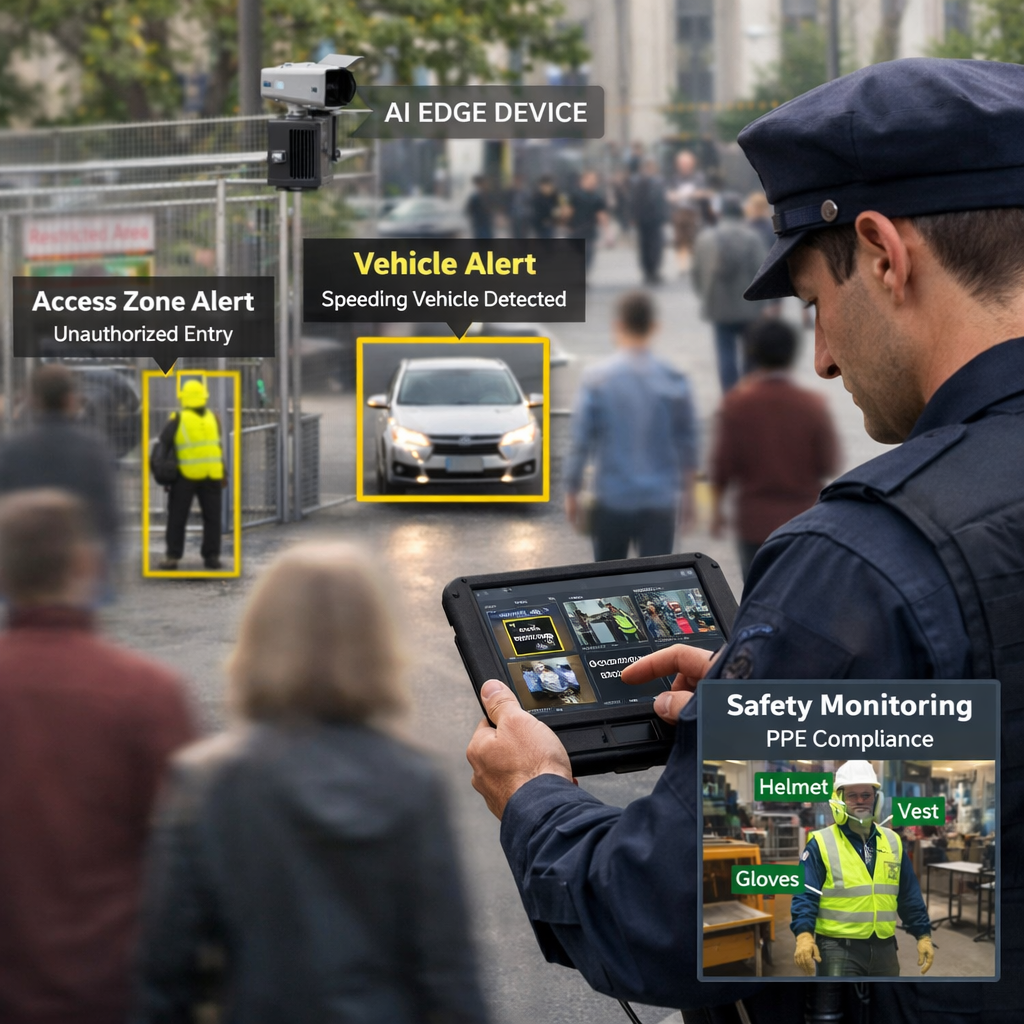
Visual example for where are edge ai devices being used today using edge AI devices
How do edge and cloud workflows fit together?
Edge and cloud workflows should be treated as complementary design options. Use edge devices for work that benefits from local analysis near the camera. Use cloud or central systems for work that needs aggregation, cross-site review, long-term reporting, or developer integration.
A simple architecture review can prevent confusion:
- Map every camera source.
- Mark where analysis should run.
- Define which events create alerts.
- Decide which clips or metadata move upstream.
- Set review, retention, and export rules.
- Test failure modes before rollout.
Many teams ask whether edge processing means the cloud disappears. It usually should not be framed that way. The stronger question is what stays local, what moves, and why. Gartner's overview of edge computing for infrastructure and operations leaders can help infrastructure teams frame that placement discussion.
Sighthound Cloud application programming interface (API) and software development kit (SDK) provide developer-facing computer-vision APIs covering license plate recognition (LPR), vehicle analytics, and detection primitives. That gives development teams another path when the project requires API-based computer-vision workflows.
What should teams consider before deploying edge AI devices?
Good deployments begin with constraints. List the camera count, power source, network path, mounting conditions, lighting conditions, and event types. Then define success in operational language: fewer missed reviews, faster routing, cleaner evidence handling, or a simpler path from event to case file.
Governance questions should be answered early. What stays visible to operators? What is masked, redacted, or restricted? Who can export footage? Who approves access changes? Teams often worry that adding AI will create compliance risk if policies are unclear, so make the review process visible before the pilot starts.
For hardware planning, separate camera-native deployments from multi-camera processing. Sighthound Compute ships two sub-products: Sighthound Camera, an AI smart camera, and Sighthound Compute Node, an edge appliance for multi-camera deployments. Sighthound Cameras are IP67-rated, heat-resistant, and powered by Power over Ethernet Plus (PoE+) under IEEE 802.3at.
Existing camera estates need a different review. Sighthound Compute Node ingests Real Time Streaming Protocol (RTSP) streams from existing network cameras and runs Sighthound's computer-vision stack on top. For more detail on that deployment path, see the Sighthound Compute Node guide.
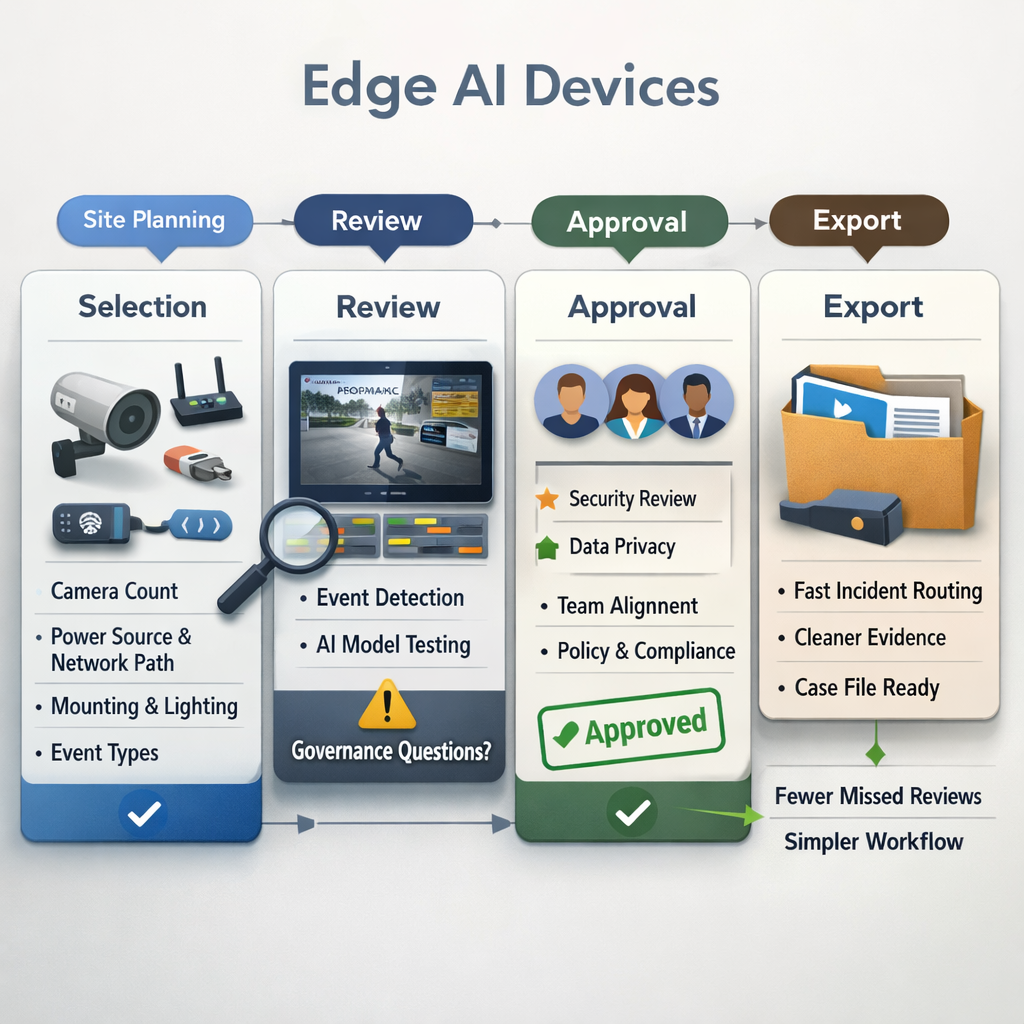
Visual example for workflow using edge AI devices
How Sighthound Compute helps
Sighthound Compute gives teams a hardware path for local computer vision. Sighthound Compute is a line of edge AI hardware — smart cameras and compute nodes — that runs Sighthound's ALPR+, Vehicle Analytics, and Redactor stack locally. This makes it relevant when the project needs on-site video intelligence rather than a cloud-only review path.
The product fit depends on your starting point. A new site may call for smart cameras. A site with existing network cameras may call for an edge appliance. Sighthound Compute Node ingests RTSP streams from existing network cameras and runs Sighthound's computer-vision stack on top.
For operators, the useful evaluation sequence is short:
- Pick one workflow and one camera group.
- Define the event and the action.
- Decide what stays local.
- Decide what moves to review systems.
- Test alerts with real operating conditions.
- Document access, retention, and redaction steps.
This keeps the pilot tied to operations rather than a broad AI experiment. It also gives procurement, information technology, legal, and field teams a shared review path.
Legal Disclaimer
This article is for general information and planning support. It is not legal advice. Privacy, surveillance, retention, disclosure, biometric, public-records, and evidentiary rules can vary by location and use case. Consult qualified counsel before deploying video analytics in regulated, public-sector, workplace, healthcare, education, or public-facing environments.
Sources
- Sighthound Compute product information
- Sighthound ALPR+ product information
- NIST privacy engineering resources
- FTC privacy and security guidance
- Gartner edge computing overview
FAQ
What is an edge AI device?
An edge AI device is a practical planning term for hardware that runs AI analysis near the data source. In video workflows, that may mean a smart camera, compute node, gateway, or other local device near cameras.
When should a team consider edge AI hardware?
Consider edge AI hardware when a video workflow needs local analysis, clear event routing, or operation near field cameras. Start with one workflow, one camera group, and one measurable operator action.
Can existing cameras work with local video processing?
They may, depending on the camera stream and system design. Sighthound Compute Node ingests RTSP streams from existing network cameras and runs Sighthound's computer-vision stack on top.
Does edge AI remove privacy and compliance work?
No. Edge processing changes the architecture, but teams still need access controls, retention rules, export procedures, redaction planning, and legal review for the specific use case.
What Sighthound product supports redaction workflows?
Sighthound Redactor is AI-powered video, image, and audio redaction software. It can support review workflows where sensitive visual or audio information must be removed before sharing.